


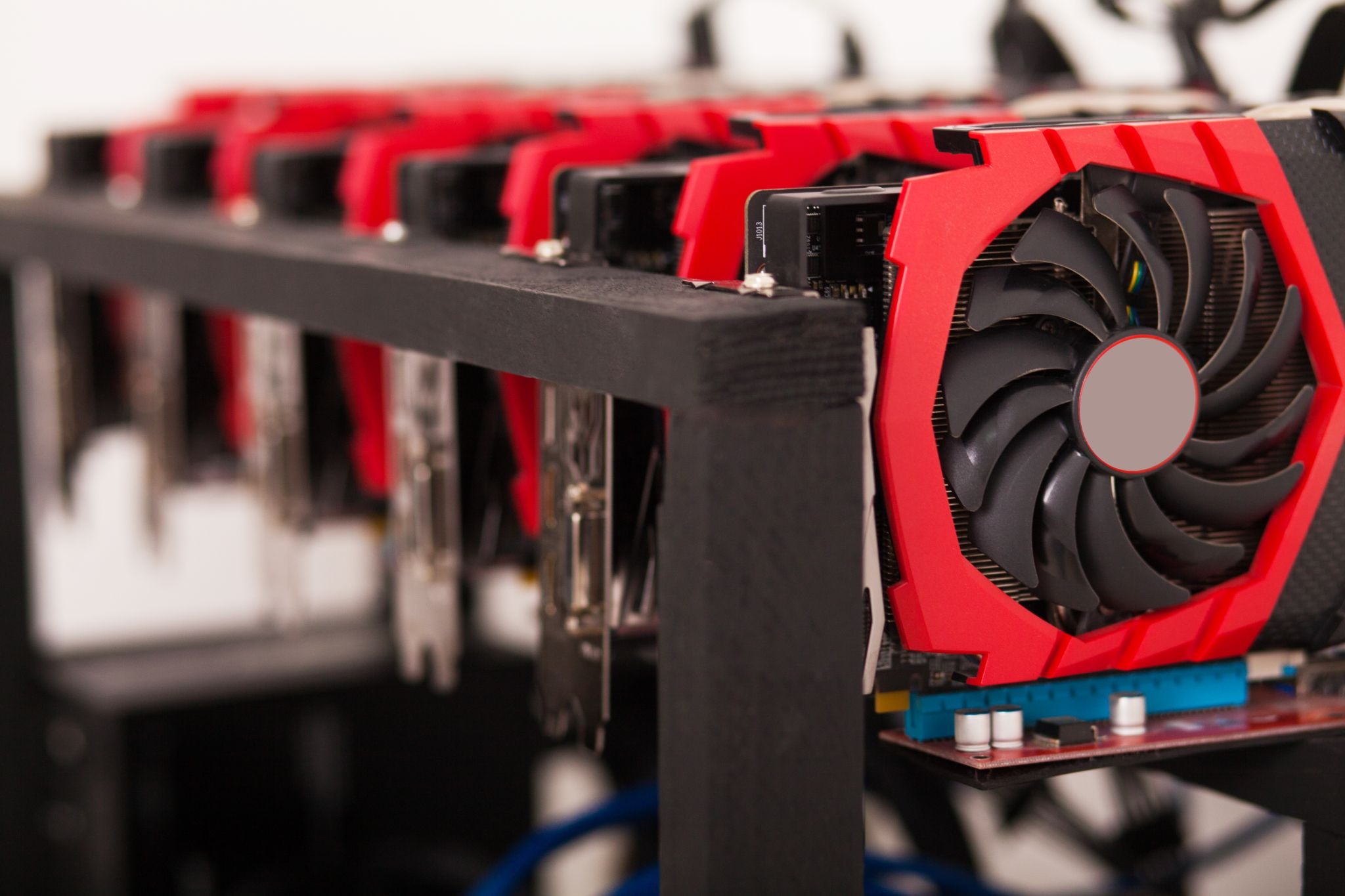
GPU mining is not just about running powerful hardware. It is about running it the right way. Many miners invest in good GPUs but never reach their full potential. The reason is simple. Poor optimization.
GPU mining performance depends on how well your hardware, software, and settings work together. Small adjustments can lead to real gains. Better efficiency means higher rewards and lower costs.
In this guide, we will break down how to improve GPU mining performance step by step. The focus is on practical mining optimization, real hash rate improvement, and smart GPU settings that actually work.
Understanding GPU Mining Performance
GPU mining performance is a mix of speed, stability, and efficiency. It is not only about pushing the highest hash rate possible. It is about sustaining that rate without overheating or wasting power.
Hash rate measures how many calculations your GPU can perform per second. A higher hash rate increases your chances of earning rewards. But chasing numbers without efficiency often leads to problems.
A well-optimized GPU runs cooler, uses less power, and delivers consistent results. That is the goal.
How Hash Rate Is Measured and Why It Matters
Hash rate is measured in units like MH/s or GH/s, depending on the algorithm. It reflects raw mining speed.
Higher hash rates usually mean higher earnings. However, inefficient setups reduce profits through power waste and hardware wear.
Smart miners focus on stable hash rates over long periods. This approach improves uptime and long-term returns.
Choosing the Right GPU for Mining Optimization
Not all GPUs are created equal. Some are built for gaming. Others perform better in mining.
When choosing a GPU, performance per watt matters more than raw power. A slightly slower GPU that uses less electricity can be more profitable.
Modern GPUs with fast memory and efficient cooling tend to perform better in mining environments.
GPU Specs That Impact Hash Rate Improvement
Memory type and bandwidth play a major role in most mining algorithms. GPUs with high memory speed often outperform those with higher core counts.
Power consumption also matters. Efficient thermal design helps maintain performance without throttling.
Always research how a specific GPU performs with your chosen algorithm before buying.
Optimizing GPU Settings for Better Hash Rates
Default GPU settings are not designed for mining. They are designed for gaming and general use.
Mining optimization requires tuning clocks, voltages, and power limits. This process improves efficiency and stability.
The goal is to find the balance between performance and longevity.
Overclocking vs Undervolting Explained
Overclocking increases clock speeds to boost hash rates. It can help, but it also increases heat and power usage.
Undervolting reduces voltage while maintaining performance. This lowers temperatures and power draw.
Most miners find undervolting more effective than aggressive overclocking. It improves efficiency without stressing hardware.
Memory Tuning for GPU Mining Performance
Memory tuning often has a bigger impact than core tuning.
Increasing memory clock speeds can lead to significant hash rate improvement. However, pushing too far causes instability.
The test changes gradually. Stability is more important than short bursts of high performance.
Mining Software and Drivers Optimization
Your GPU is only as good as the software running it. Mining software directly affects performance.
Different miners are optimized for different algorithms and GPUs. Choosing the right one matters.
Drivers also play a key role. Outdated or unstable drivers can reduce hash rates or cause crashes.
Software Settings That Improve Hash Rate
Many mining programs offer tuning options. These include intensity, thread count, and algorithm-specific parameters.
Incorrect settings can lead to invalid shares or reduced efficiency. Always test changes carefully.
Lower stale share rates often improve overall earnings even if raw hash rate stays the same.
Cooling and Thermal Management
Heat is the enemy of GPU mining performance. High temperatures cause throttling and shorten hardware lifespan.
Good cooling keeps GPUs running at optimal speeds for longer periods.
Thermal management is a core part of mining optimization.
Effective Cooling Strategies for Mining Rigs
Proper airflow is essential. Hot air must escape, and cool air must enter.
Fan curve tuning helps maintain stable temperatures without excessive noise.
Ambient room temperature also matters. Cooler environments naturally improve GPU efficiency.
Power Management and Efficiency
Electricity costs directly affect profitability. Efficient power usage is just as important as hash rate.
Reducing power consumption without losing performance is the goal.
Power limits allow miners to control how much energy GPUs use.
Finding the Sweet Spot Between Power and Performance
Lowering power limits often results in small hash rate drops but large energy savings.
The best setup delivers the highest hash rate per watt, not the highest raw output.
Monitoring efficiency over time helps fine-tune settings for long-term gains.
Monitoring, Testing, and Continuous Mining Optimization
Mining conditions change. Network difficulty shifts. Temperatures vary. Software updates roll out.
Continuous monitoring helps detect issues early and maintain performance.
Optimization is not a one-time task. It is an ongoing process.
Tools for Tracking GPU Mining Performance
Monitoring tools show hash rates, temperatures, and power usage in real time.
Profitability calculators help estimate returns based on current conditions.
Consistent tracking leads to smarter decisions and better results.
Common Mistakes That Reduce GPU Mining Performance
Many miners hurt performance without realizing it.
Aggressive overclocking causes crashes and hardware damage. Ignoring cooling leads to throttling.
Poor software configuration wastes potential hash rate.
Patience and careful testing outperform rushed setups every time.
Conclusion
Improving GPU mining performance is about working smarter, not harder. Efficient mining optimization delivers better results than brute force.
Small changes in GPU settings can lead to real hash rate improvement. Proper cooling and power management protect your investment.
Successful miners focus on stability, efficiency, and long-term gains. With the right approach, GPU mining can remain profitable and sustainable.
FAQs About GPU Mining Performance
Is overclocking safe for long-term GPU mining performance?
Light overclocking with undervolting is safer, improves efficiency, and reduces hardware stress during continuous mining operations.
How much hash rate improvement is realistic with proper mining optimization?
Most miners achieve five to twenty percent improvement through optimized GPU settings, memory tuning, and power efficiency.
Do all GPUs benefit from undervolting during mining optimization?
Most modern GPUs benefit from undervolting by reducing heat, power consumption, and maintaining stable hash rates.
How often should GPU settings be adjusted for optimal mining performance?
Review GPU settings after driver updates, temperature changes, or performance drops to maintain optimal mining efficiency.
Does better cooling always improve GPU mining performance?
Better cooling prevents throttling, stabilizes performance, and protects GPUs from long-term thermal damage during mining.